
RV Trader
Trader Interactive, LLCAuto & Vehicles
4.71.93K Reviews
- Version
- 26.22.0
- Installs
- 500.00K
- Age Rating
- Everyone
Screenshots
Our Review of RV Trader
 Analysis by Appyee
Shopping for an RV is rarely a quick, casual purchase. Even when the search starts with a simple wish for a travel trailer or motorhome, the decision soon involves location, vehicle type, condition, budget, sleeping arrangements, towing needs, and a lot of coordination between people. I found RV Trader most useful as a focused place to organize that early search rather than as a complete replacement for inspection, financing research, or a conversation with a seller.
Developed by Trader Interactive, LLC, this free Auto & Vehicles app is built around finding recreational vehicles near you. It has been available since July 9, 2013, and its current version is 26.22.0 for devices running Android 8.0 or later. Its 4.7 average from around 5.8 thousand ratings and more than 500 thousand installs suggest that it has become a familiar tool for people browsing the RV market. I can see why: the app gives a household a practical starting point when several people need to look at the same type of purchase without constantly exchanging scattered screenshots and search links.
How RV Trader works when several people are shopping together
A realistic use case is a couple planning a long trip while another member of the household helps with the numbers. One person may care about floor plans and sleeping space, another may focus on whether the vehicle fits an existing tow setup, and a third may be the one who checks the asking price against the household budget. In that situation, a dedicated RV marketplace is more useful than a general web search because the search begins with the kind of vehicle rather than with broad travel ideas.
I would start by using the app separately for a short period, not by trying to make one person responsible for every decision. Each shopper can identify the listings that seem promising, then the household can compare them together. That approach prevents an early favorite from dominating the conversation before anyone has checked its location, layout, condition, or practical fit. The app is especially helpful at this stage because it turns a vague goal such as “find an RV for weekends” into a visible group of actual listings.
There is a useful distinction between discovery and buying here. RV Trader helps me discover what is available around a chosen area and gives the household material to discuss. It does not remove the need to verify the listing, contact the seller, inspect the vehicle, or confirm that the advertised details still apply. I treat every listing as a lead, not as a final description of reality. That mindset is important with any expensive used vehicle, but it matters even more with RVs, where water damage, maintenance history, storage conditions, and modifications can change the value dramatically.
For shared-device use, I would keep the app as a research tool rather than leaving it open while someone is driving or asking a child to manage the search. RV shopping involves personal contact details, seller messages, and potentially sensitive financial discussions. A family tablet can be convenient for viewing listings around the kitchen table, but the adult handling seller communication should remain responsible for what is sent and what information is disclosed.
The strongest household use is collaborative shortlisting, not blind trust in a listing. I found that a group makes better progress when it agrees on a few non-negotiable requirements before opening dozens of results. Decide whether the vehicle must be towable by the current vehicle, whether a bathroom is essential, how many people need sleeping space, and how far the household is willing to travel. Those decisions make the app feel much less overwhelming and reduce the temptation to chase an attractive but unsuitable listing.
Building a search that reflects real travel needs
RV categories can look similar at first glance, especially to someone who is new to the market. A compact trailer, a larger travel trailer, and a motorhome may all appear in the same browsing session, yet they create very different demands. I would separate the search into use cases: short campsite stays, extended travel, seasonal living, or occasional family trips. The right listing is not necessarily the one with the most space; it is the one that fits the way the household will actually move, park, maintain, and use it.
One practical technique is to keep two shortlists instead of one. The first contains vehicles that meet the basic requirements. The second contains tempting alternatives that fail one requirement but might be worth reconsidering. This makes trade-offs visible. For example, a larger layout may offer better sleeping space but create extra towing or storage concerns. A cheaper-looking option may be closer to home but require more questions about age, upkeep, or previous use. The app supports the browsing part of this comparison, while the household has to supply the judgment.
I also recommend recording the reason each listing made the shortlist. A saved vehicle without a note can become confusing after a few days, particularly when several have similar photographs or layouts. Write down whether it stood out because of its floor plan, location, equipment, or apparent value. Then, when the household revisits the list, everyone knows what deserves a closer look and what was merely an interesting result.
Setup boundaries before the first serious search
The app is free, which makes it easy for every interested adult in a household to install it and browse independently. That convenience can also create duplicated work. Before starting, I would agree on who owns the main search, who checks technical compatibility, and who communicates with sellers. These roles do not need to be permanent, but defining them avoids three people contacting the same seller or assuming someone else has checked an important detail.
On a shared phone or tablet, account boundaries deserve attention. I would avoid leaving a personal email address, phone number, or seller conversation visible for anyone who casually picks up the device. If the app offers a sign-in or saved-search experience on the device, use the household’s agreed adult account rather than mixing a child’s account, a guest’s profile, and a buyer’s personal details. I am not suggesting that RV Trader should be treated like a banking app; the point is simply that marketplace research can quickly turn into real-world contact.
Age context matters too. The app is rated Everyone, so its general audience is broad, but an age rating does not make a child an appropriate buyer or negotiator. A younger family member can help compare layouts, identify features they would like, or mark which sleeping arrangements seem comfortable. An adult should handle contact information, appointments, payment discussions, and any decision involving a large financial commitment. That division keeps the activity educational without giving a child responsibility they cannot reasonably manage.
Another boundary I would set is between browsing and commitment. A household member should not treat a saved listing, a message, or a verbal promise as approval to spend money. Agree on a simple rule: no deposit, appointment, or exchange of sensitive information until the responsible adults have reviewed the listing together. This is not a special feature of the app; it is a sensible way to use any marketplace when several people share access to the same search.
Coordinating listings without losing the thread
Coordination is where the app can save the most time, but only if the household uses a consistent process. I would assign each promising listing a quick status: new, needs questions, ready for inspection, or rejected. That status can be maintained in a shared note or conversation outside the app if necessary. The important part is that everyone knows whether a vehicle is still under consideration or has already been ruled out.
When comparing listings, I would use the same questions every time. Is the location realistic for an in-person visit? Does the layout suit the number of travelers? Would the vehicle work with the household’s current towing or driving situation? What details need confirmation before anyone travels to see it? A consistent set of questions prevents attractive photography from receiving more attention than practical constraints.
One less obvious benefit of a focused marketplace is that it helps the household notice how much the search changes by location. “Near me” is useful when the goal is to inspect a vehicle, but a nearby listing is not automatically the best one. A slightly farther vehicle may deserve attention if it fits the household’s requirements much better, while a close listing can be a poor use of time if it fails a basic need. I would use proximity as a planning factor, not as the only measure of value.
Before arranging a visit, I would send one consolidated set of questions rather than several short messages from different people. Ask about the points that could make the trip pointless, then keep the answers with the listing record. This makes the inspection more efficient and gives the household a shared understanding of what the seller actually confirmed. It also reduces the chance that one person remembers an optimistic answer while another remembers a warning.
The app is less suitable when the household expects a complete project-management system for a purchase. It is a vehicle marketplace, not a family planning board or a formal inspection platform. If you need detailed cost tracking, maintenance records, financing comparisons, or task assignments, I would pair it with a spreadsheet or shared note. That is not a criticism of its core purpose; it is simply the boundary between finding candidates and managing the entire buying process.
Trust, seller contact, and the point where browsing ends
My biggest caution is that a polished listing can create a false feeling of certainty. Photos may show the most appealing angles, and a description may emphasize equipment without answering the questions that matter most to your household. I would inspect the roof, seals, interior surfaces, appliances, tires, storage areas, and signs of dampness in person or through a qualified inspection. I would also compare the advertised configuration with the actual vehicle before making a decision.
For a family or shared household, trust has two layers. First, the group needs to trust its own process: everyone should know who is communicating and what has been agreed. Second, the group needs to evaluate the seller and the vehicle independently. A quick response or friendly conversation is not proof of condition. I would be cautious about pressure to act immediately, requests to move the conversation away from normal channels without a clear reason, or demands for money before the vehicle and paperwork have been properly checked.
Children and teenagers can still take part in the useful parts of the process. They might compare bed arrangements, think through storage needs, or help the adults test whether a floor plan suits the family’s routines. I would keep them away from seller negotiations and personal information, though. This gives them a meaningful role while preserving clear responsibility boundaries.
The app’s Everyone rating makes it approachable for a household discussion, but the purchase itself is not a child-friendly activity. The age context of the software should not be confused with the age or experience needed to evaluate a recreational vehicle. An adult should decide whether a listing is safe to visit, whether the seller’s claims have been checked, and whether the household can manage ownership costs beyond the initial asking price.
Where it beats general search, and where alternatives help more
Compared with a general search engine, RV Trader feels more direct because the browsing session begins with RV listings rather than scattered dealer pages, classifieds, and forum discussions. That focus is valuable when a household is still learning what types of vehicles are available. Instead of searching one brand at a time, I can explore the market around a location and then narrow the conversation to realistic candidates.
Compared with visiting dealer websites individually, the app is more convenient for broad comparison. It gives the household one place to begin, which is helpful when nobody yet knows whether a trailer, motorhome, or another RV style makes sense. Dealer sites may still be better when you already know the seller, need a particular inventory source, or want a more direct service relationship. I would use RV Trader for discovery and dealer or manufacturer resources for deeper verification.
General classifieds can sometimes offer local bargains or unusual listings, but they may require more effort to filter and compare. RV Trader is the better first stop when the goal is a structured RV search. On the other hand, someone who already has a specific model and needs owner forums, repair experiences, or technical documentation should look beyond a marketplace. The app can show what is for sale; it is not a substitute for specialist knowledge about a particular vehicle.
Another trade-off is that a focused marketplace can encourage endless browsing. The variety is useful, but it can also make the household believe that the perfect RV is always one more search away. I would set a shortlist limit and a review date. Once several candidates meet the core requirements, stop expanding the search and start checking condition, ownership practicality, and travel distance. That change from collecting options to testing them is where the decision becomes more grounded.
Who should use it and who may want something else
I would recommend RV Trader to a first-time buyer who needs a clear place to begin, to an experienced owner looking for a different layout, and to households comparing what is available within a practical travel area. It is also useful for someone who is not ready to buy yet but wants to learn how the market is organized and what kinds of RVs appear near them. Because it is free, it is easy to use for early research without committing to a paid service.
I would be more cautious recommending it as the only tool for a buyer with strict technical requirements. If towing capacity, accessibility, renovation history, or a particular chassis specification is central to the decision, the app should be one part of a wider process. The same applies to buyers who need a very specialized vehicle or who are searching for verified condition rather than general availability.
It may also be the wrong fit for someone who dislikes marketplace communication or does not want to travel for inspections. Finding a promising RV near you is helpful, but it does not guarantee that the right vehicle will be close, affordable to maintain, or ready for immediate use. If your priority is a fully managed purchase with service support, a local dealer relationship may be more comfortable, even if it gives you a narrower initial selection.
My household verdict after using it as a buying tool
I see RV Trader as a strong first-stage companion for a serious RV search. Its value is not that it makes a major purchase effortless; its value is that it gives a household a focused way to discover candidates, compare locations, and begin a shared conversation. The app is free, available to a broad audience, and maintained as a current product by Trader Interactive, LLC, which makes it easy to add to an Android research routine when the device meets the minimum system requirement.
My recommended workflow is simple: agree on requirements, let each adult browse, create a small shortlist, record why each listing matters, send consolidated questions, and inspect before discussing money. Keep children involved only in age-appropriate comparison and planning, while adults retain control of contact and purchase decisions. That approach makes the app more useful than casual scrolling because every listing has to earn its place in the household’s plan.
After that, the final decision still belongs to the people who will drive, tow, maintain, store, and pay for the RV. I would install RV Trader if I wanted a practical starting point for finding vehicles in my area and coordinating early research with other adults. I would not use it as proof that a vehicle is sound or as a replacement for inspection and independent judgment. Used with those limits in mind, it is a focused and approachable marketplace that can turn a scattered family search into a manageable shortlist.
Verdict
Strengths of RV Trader
- Large selection of new and used RV listings across the United States.
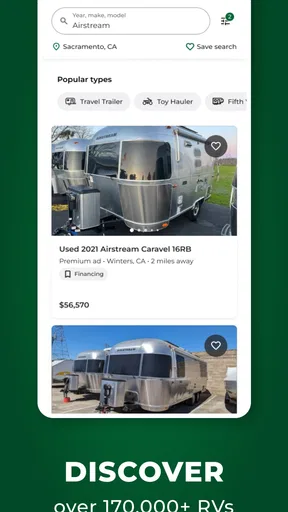
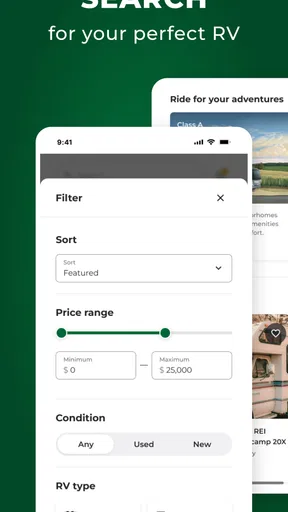
- Detailed filters help narrow results by price, type, brand, and location.
- Listings often include multiple photos, specifications, and seller details.
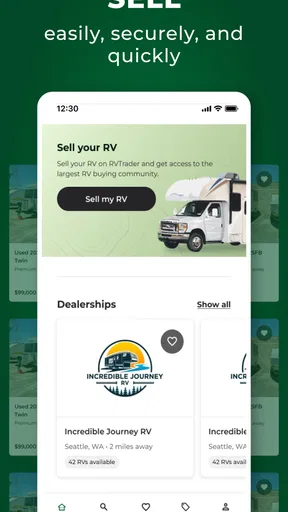
- Dealer and private-seller listings are available in one marketplace.
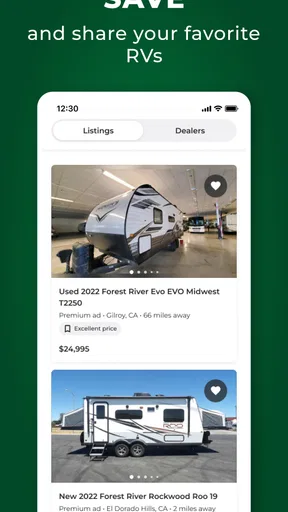
- Saved searches and favorites make it easier to track potential purchases.
Limitations of RV Trader
- Some listings may be outdated or unavailable when you contact the seller.
- Premium RVs and dealer inventory can make browsing feel commercially focused.
- Search results may vary considerably by region and local inventory.
- The app does not replace an in-person inspection or vehicle history check.
- Seller response times and listing quality can be inconsistent.
Similar Picks in This Category
View All
Android Auto
Google LLC4.1

maxim — order a taxi & food
PT. SITO4.7

Штрафы ГИБДД: проверка с фото
Pays LLC – Штрафы ГИБДД4.7

Номерограм – проверка авто
Авто Ассист4.8

Дром Авто
Дром4.9

Frequently Asked Questions
What is RV Trader, and what can I do with the app?
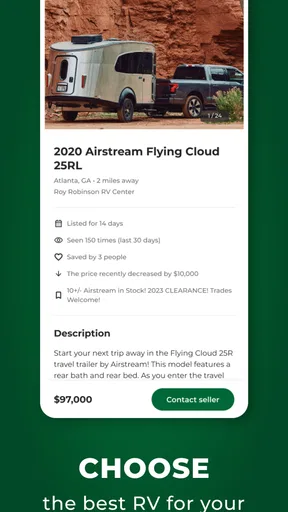
RV Trader is a marketplace for browsing, comparing, and buying recreational vehicles from dealers and private sellers. You can search for motorhomes, travel trailers, fifth wheels, toy haulers, camper vans, and other RV types. Listings generally include photos, prices, specifications, locations, seller details, and contact options, helping you research vehicles before arranging a viewing or purchase.
Is RV Trader free to download and use?
The app is generally free to download, and shoppers can browse listings without paying a subscription. However, certain actions or services may vary depending on the current app structure and seller arrangements. Buyers should also remember that the listed price is not the total cost of ownership, since taxes, registration, financing, insurance, delivery, inspections, and dealer fees may apply.
Can I safely buy an RV directly through RV Trader?
RV Trader is primarily a platform that connects buyers with dealers and private sellers rather than a service that completes every transaction itself. Use the in-app contact information to communicate with the seller, but verify the vehicle independently. Request maintenance records, confirm the title and VIN, arrange a professional inspection, and avoid sending money before you are confident the seller and RV are legitimate.
What types of recreational vehicles can I find on RV Trader?
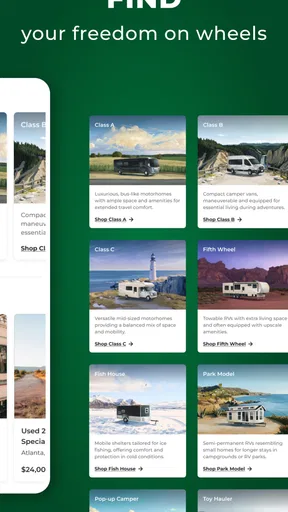
The marketplace typically includes a broad selection of new and used recreational vehicles, including Class A, Class B, and Class C motorhomes, travel trailers, fifth wheels, toy haulers, pop-up campers, destination trailers, truck campers, and camper vans. Availability depends on location and current inventory, so using filters for type, price, year, mileage, and distance can make searching easier.
What should I check before contacting an RV seller?
Before making an inquiry, review the complete listing carefully, including the vehicle’s year, mileage, floor plan, dimensions, weight, included equipment, condition, location, and asking price. Compare similar RVs to identify unusual pricing, and check whether photos show important areas such as the roof, tires, interior, appliances, and storage compartments. Prepare specific questions about damage, leaks, ownership history, and maintenance.
